SSIM vs Pixel Diff: Which Catches Real Regressions?
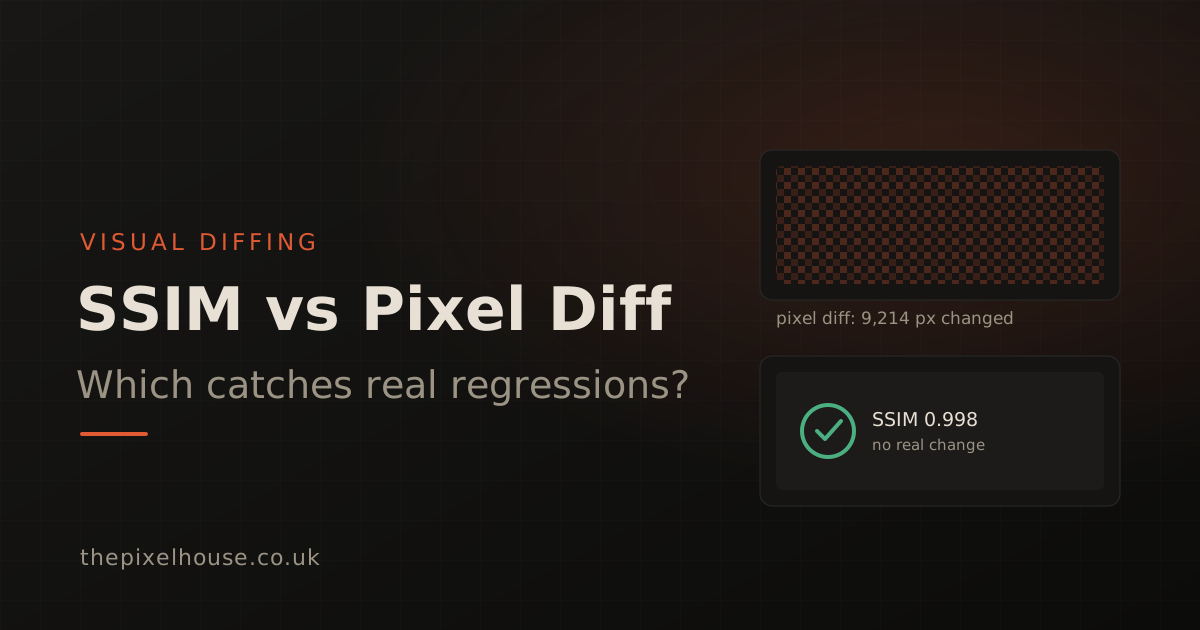
Pixel diffing and SSIM are the two main ways to compare screenshots in visual regression testing. A pixel diff counts how many pixels changed. SSIM measures whether the structure of the image changed. The distinction matters. A naive pixel diff flags rendering noise, such as anti-aliasing and font smoothing, as failures. SSIM is built to ignore that noise and catch real layout regressions instead. This guide explains how each works and when to reach for which.
Key takeaways
- A pixel diff compares images one pixel at a time; SSIM compares structure, contrast, and luminance over small windows.
- Pixel diffing produces false positives from anti-aliasing, sub-pixel font rendering, and differences between operating systems or GPUs.
- Modern pixel diff tools mitigate this with anti-aliasing heuristics and non-zero thresholds (pixelmatch ignores anti-aliased pixels by default; Playwright defaults to a 0.2 colour threshold), but they still need per-project tuning.
- SSIM, from a 2004 paper cited more than 50,000 times, scores structural similarity from minus one to one, where one means identical.
- Pixel diffing suits small, stable components in a fixed environment; SSIM suits full-page screenshots that move between machines.
What is the difference between SSIM and pixel diff?
The core difference is what each method compares. A pixel diff aligns two images and checks each pixel against its counterpart, counting the mismatches. SSIM, short for structural similarity, instead measures how similar two images are in structure, contrast, and luminance across small local windows, then pools those scores into one number.
That design goal is the whole story. Pixel diffing answers "how many pixels are different", which sounds precise but treats every pixel equally, including the ones that differ only because of rendering noise. SSIM answers "is this structurally the same image", which maps far more closely to the question a visual test actually asks: does the page still look right? The rest of this guide unpacks that gap, and where it holds up. Our own 40-site benchmark found the effect is real but threshold-dependent and narrower than the usual framing: SSIM's clear edge is structural change, not a blanket cut in false positives.
How does pixel diffing work, and why does it raise false positives?
Pixel diffing compares two screenshots pixel by pixel and reports how many differ, which makes it fast but noisy. The trouble is that two captures of an unchanged page rarely match exactly. Anti-aliasing, sub-pixel font rendering, animation frames, and even a blinking cursor all shift pixels without any real change to the interface.
Environment makes it worse. The same browser version can produce different anti-aliasing depending on the operating system, screen resolution, and whether GPU acceleration is on. A screenshot from a developer's macOS machine and one from an Ubuntu CI runner can differ across thousands of pixels. The layout did not move; the two machines simply rasterise text differently. A naive pixel diff counts all of it as a regression.
This is why serious pixel diff tools ship with tolerance built in. Pixelmatch, the widely used library from Mapbox, detects and ignores anti-aliased pixels by default and judges colour difference in the YIQ colour space rather than raw RGB (pixelmatch, GitHub README). Playwright, which uses pixelmatch under the hood, sets a default colour threshold of 0.2 on a zero-to-one scale for its toHaveScreenshot assertion (Playwright, Visual comparisons). The default is deliberately non-zero because exact pixel matching fails in practice.
How does SSIM work?
SSIM works by comparing local structure rather than individual pixels, which is what lets it see past rendering noise. It was introduced in 2004 by Wang, Bovik, Sheikh and Simoncelli (IEEE Transactions on Image Processing, 2004). It breaks the comparison into three components: luminance, contrast, and structure, then combines them. It is one of the most influential papers in image processing, cited more than 50,000 times and recognised with an IEEE Best Paper award.
The mechanism is local and windowed. SSIM slides a small window, typically an 11-by-11 Gaussian window, across the image, scores the similarity within each window, and pools the results (Wikipedia, Structural similarity index measure). Because each score reflects a neighbourhood rather than a single point, uniform sub-pixel noise that throws off a per-pixel comparison barely moves the structural score.
The output is a single number. SSIM ranges from minus one to one, where one means the two images are structurally identical and lower values mean greater divergence. For near-identical UI screenshots, scores sit just below one, so visual tests typically pass anything above a chosen threshold. A common starting point in practice is around 95 to 97 percent similarity, tuned per project.
When does SSIM catch real regressions with fewer false positives?
SSIM catches real regressions with fewer false positives because the noise that breaks pixel diffing is, by definition, not structural. Anti-aliasing and font smoothing change individual pixels along edges, but they do not change the contrast and structure of a region. SSIM's windowed pooling absorbs that, so it stays quiet when only the rendering differs.
A genuine regression looks different to the maths. A button that drops below the fold, a grid that collapses, or spacing that doubles all change the structure and contrast of whole regions, not just edge pixels. Those shifts move the SSIM score meaningfully, so the check fires. The result is a comparison where a failure usually means something real moved, which is the difference between a test your team trusts and one they mute.
We built The Pixel House on perceptual comparison for structural sensitivity of this kind. When we later benchmarked both methods on 40 real sites, the result was more nuanced than a blanket win: at a matched false-positive rate the two are close, and SSIM's clear edge is on structural changes such as shifted or hidden elements rather than a general cut in false alarms (our SSIM vs pixel-diff benchmark). Chasing false alarms is still what makes teams abandon visual testing, but on real sites the biggest source of those alarms is dynamic content, which masking handles. The full picture of how baselines, masking, and thresholds fit together is covered in our visual diffing series.
Do pixel diff tools not handle anti-aliasing already?
They do, up to a point, and it is worth being fair about it. Pixelmatch ignores anti-aliased pixels by default using a published detection method, Playwright ships a non-zero threshold, and Resemble.js offers explicit ignoreAntialiasing and ignoreColors modes (Resemble.js, GitHub README). These are real mitigations, not afterthoughts, and for many projects they are enough.
The cost is tuning. Anti-aliasing heuristics work by guessing which mismatched pixels sit on high-contrast edges and skipping them, and that guess has to be calibrated. Set the threshold too tight and font noise still fails the build; set it too loose and you miss small real changes. You end up maintaining per-project thresholds, anti-aliasing flags, and masks, and re-tuning them when the rendering environment shifts.
SSIM does not remove tuning entirely, since you still choose a similarity threshold, but it changes what you are tuning. Instead of teaching a pixel comparison to ignore specific classes of noise, you set one structural threshold that already tolerates rendering differences by design. For full-page screenshots that travel between a dev machine and CI, that tends to be the steadier knob.
SSIM vs pixel diff: a side-by-side comparison
The two methods are not strictly better or worse; they make different trade-offs. The table below summarises where each lands on the things that matter for visual regression testing.
| Dimension | Pixel diff | SSIM |
|---|---|---|
| What it compares | Individual pixels | Structure, contrast, luminance over windows |
| Output | Count or ratio of differing pixels | Similarity score (minus one to one) |
| Anti-aliasing and font noise | Flags it unless tuned to ignore | Tolerates it by design |
| Cross-environment stability | Fragile across OS and GPU | More stable |
| Tuning needed | Thresholds plus anti-aliasing flags plus masks | One similarity threshold |
| Speed | Very fast | Heavier, still practical |
| Best fit | Small, stable components in a fixed environment | Full-page screenshots across machines |
On speed, raw pixel diff implementations vary widely among themselves. In odiff's own published benchmark, odiff compared a full Cypress screenshot in 1.168 seconds against pixelmatch's 7.712 seconds, a figure self-reported by the tool's authors rather than independently verified (odiff, GitHub README). The honest caveat: broad public benchmarks of SSIM against pixel diffing for false-positive reduction are scarce, so treat any single head-to-head number with care. We ran our own on 40 sites, and it found the two closer than the usual framing suggests (SSIM vs pixel diff, benchmarked).
Which should you use?
Use pixel diffing when you are testing small, stable components that render in one controlled environment, where exact-pixel sensitivity is an asset and the rendering will not drift. With anti-aliasing detection and a tuned threshold, a pixel diff is fast and perfectly serviceable for that job.
Use SSIM when you are capturing full pages, testing across devices, or running the same checks on a dev machine and a CI runner. That is where per-pixel noise accumulates and where structural comparison earns its place, because it stays quiet about rendering differences and loud about real ones. Most teams doing broad visual regression testing fall into this second case, which is why The Pixel House defaults to perceptual comparison.
The deeper point is that the diffing method is the difference between a check people trust and one they switch off. If most red diffs are noise, the check is worse than useless, because it trains the team to ignore failures. Choosing the comparison that matches how your UI actually renders is what keeps visual testing worth running.
Try it on your own screenshots
The quickest way to feel the difference is to compare two captures of the same page and watch what each method flags. The free diff tool and free screenshot tool run in the browser with no account, using the same perceptual comparison described here. If you want this inside your editor or CI, the getting started guide covers it in about a minute.
Further reading in this series
This post is part of our work on visual diffing and AI-assisted visual testing:
- Visual Testing for AI Coding Assistants: The MCP Guide: the hub for running these checks from Claude Code, Cursor, and Windsurf.
- Visual Regression Testing in Claude Code: the step-by-step editor workflow, including how SSIM keeps its diffs clean.
- How to Eliminate False Positives in Visual Testing: the practical techniques that build on this comparison.
- How Visual Diffing Works: Pixel, SSIM and Perceptual Comparison: the full guide to every comparison method, and the hub for this series.
Sources
- Wang, Bovik, Sheikh and Simoncelli, "Image Quality Assessment: From Error Visibility to Structural Similarity" (IEEE Transactions on Image Processing, vol. 13, no. 4, April 2004), retrieved 2026-06-22: https://www.cns.nyu.edu/~lcv/ssim/
- Wikipedia, "Structural similarity index measure", retrieved 2026-06-22: https://en.wikipedia.org/wiki/Structural_similarity_index_measure
- pixelmatch (Mapbox), GitHub README, retrieved 2026-06-22: https://github.com/mapbox/pixelmatch
- Playwright, "Visual comparisons" documentation, retrieved 2026-06-22: https://playwright.dev/docs/test-snapshots
- odiff (Dmitry Kovalenko), GitHub README, retrieved 2026-06-22: https://github.com/dmtrKovalenko/odiff
- Resemble.js (rsmbl), GitHub README, retrieved 2026-06-22: https://github.com/rsmbl/Resemble.js
Frequently asked questions
What is the difference between SSIM and pixel diff?
A pixel diff compares two images one pixel at a time and counts how many differ. SSIM compares structure, contrast, and luminance over small windows of the image. Pixel diffing flags rendering noise like anti-aliasing as failures, whereas SSIM tolerates that noise while still catching genuine layout changes.
Is SSIM better than pixel diffing for visual regression testing?
For full-page screenshots that move between machines, SSIM can produce fewer false positives, depending on the threshold, because it measures structural similarity rather than exact pixels. Pixel diffing can work well for small, stable components rendered in one fixed environment, but it needs threshold tuning to ignore anti-aliasing and font-rendering noise.
What does an SSIM score mean?
SSIM ranges from minus one to one, where one means the two images are structurally identical. For near-identical UI screenshots, scores sit just below one. A common starting point in practice is to treat around 95 to 97 percent similarity as a pass, then tune the threshold to your own pages.
Why does pixel diffing produce false positives?
Two screenshots of the same page can differ at the pixel level because of anti-aliasing, sub-pixel font rendering, animation frames, and differences between operating systems or GPUs. A naive pixel diff counts all of that as change, so a test can fail even though nothing about the interface actually moved.
Do pixel diff tools handle anti-aliasing?
Some do. Pixelmatch detects and ignores anti-aliased pixels by default, and Playwright sets a non-zero colour threshold of 0.2 for the same reason. These heuristics help, but they need tuning per project and still compare pixel by pixel, which is why structural methods like SSIM are often steadier across environments.