What Is an MCP Server? A Plain-Language Guide for Developers
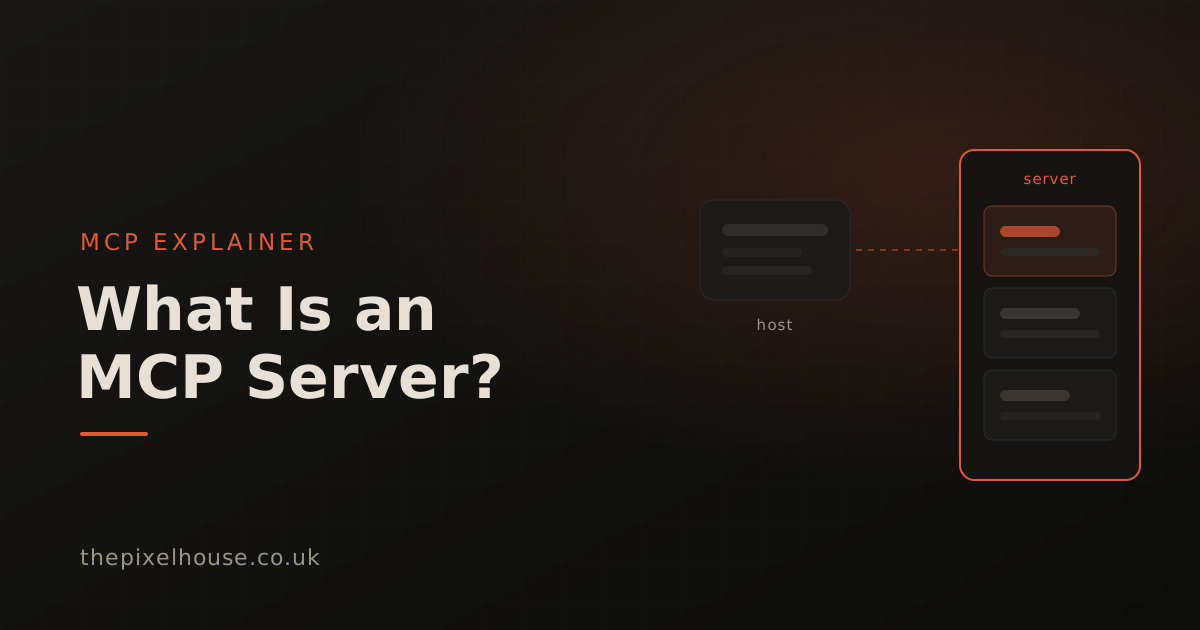
An MCP server is a small program that gives an AI application new abilities. It connects to an assistant such as Claude Code or Cursor through the Model Context Protocol and exposes a set of tools the assistant can call. Those tools might read a file, query a database, send a message, or capture a screenshot. You describe what you want in plain language, and the assistant uses the server's tools to do it. This guide explains what an MCP server is, how the protocol works, and why so many were built so quickly.
Key takeaways
- An MCP server is a program that exposes tools, data, and prompt templates to an AI application through the Model Context Protocol, an open standard for connecting assistants to external systems.
- MCP uses a client-server architecture with three roles: a host (the AI app), a client (the connector inside it), and a server (the program providing the capabilities).
- A server can expose three kinds of thing: tools (actions the assistant can run), resources (data it can read), and prompts (reusable templates).
- Anthropic introduced MCP in November 2024 and donated it a year later to a Linux Foundation body, by which point there were more than 10,000 active public servers.
- The practical payoff is that one server works across every compatible assistant, so a capability like visual testing plugs into the editor you already use.
What is an MCP server?
An MCP server is a program that provides context and capabilities to an AI application through the Model Context Protocol. It publishes a set of tools, data sources, and prompt templates that an assistant can call over a standard connection. In short, it is the piece that lets an AI assistant do something outside its own text window.
The official documentation defines an MCP server as "a program that provides context to MCP clients" (Model Context Protocol, Architecture overview). That context can be an action, some data, or a template. A file-system server lets an assistant read and write files. A database server lets it run queries. A visual testing server lets it capture a screenshot and compare it against a baseline. The server does the work; the assistant decides when to call it.
A server can run in two places. A local server runs as a process on your own machine, which suits tools that touch your files or local environment. A remote server runs on a URL and can serve many users, which suits hosted products. Either way, the assistant sees the same set of tools and calls them the same way.
What is the Model Context Protocol?
The Model Context Protocol is the open standard that MCP servers speak. Anthropic introduced it on 25 November 2024 as "an open standard that enables developers to build secure, two-way connections between their data sources and AI-powered tools" (Anthropic, Introducing the Model Context Protocol). The documentation compares it to "a USB-C port for AI applications" (Model Context Protocol, Getting Started): one standard socket instead of a custom cable for every device.
That analogy is the whole point. Before MCP, connecting an assistant to an external tool meant a bespoke integration for that specific pairing. Ten tools and three assistants meant thirty integrations. MCP replaces that with one shared interface. A tool implements the protocol once, and every compatible assistant can use it. An assistant supports the protocol once, and it gains access to every server.
Under the surface, MCP is built on JSON-RPC 2.0, a lightweight, well-understood format for sending requests and receiving responses (Model Context Protocol, Architecture overview). You rarely see this layer as a user. It matters because it means the protocol is language-neutral: any program that can send and receive JSON messages can be an MCP server, whatever language it is written in.
How does the MCP client-server architecture work?
MCP uses a three-part architecture: a host, one or more clients, and one or more servers. The host is the AI application you interact with. Inside it, each client maintains a dedicated connection to a single server. The server is the separate program that exposes the tools. This separation lets one assistant safely use many independent servers.
The official definitions are worth stating plainly (Model Context Protocol, Architecture overview):
- Host is "the AI application that coordinates and manages one or multiple MCP clients". Claude Code, Claude Desktop, Cursor, and VS Code are all hosts.
- Client is "a component that maintains a connection to an MCP server and obtains context from an MCP server for the MCP host to use". The host creates one client per server.
- Server is "a program that provides context to MCP clients". It can run locally or remotely.
The everyday version is simpler than the vocabulary suggests. You open your assistant (the host). You connect a server, and the host spins up a client to talk to it. From then on, when you ask for something the server can do, the assistant calls it through that client and returns the result in your conversation. Add a second server and you get a second client, running in parallel with the first.
What can an MCP server expose?
An MCP server can expose three kinds of capability, and any given server may offer one, two, or all three. The protocol calls them tools, resources, and prompts. Together they cover doing things, reading things, and reusing structured instructions, which is most of what an assistant needs from an external system.
Here is what each primitive means, in the documentation's own terms (Model Context Protocol, Architecture overview):
| Primitive | What it is | Example |
|---|---|---|
| Tools | Executable functions the assistant can invoke to perform actions | Run a database query, call an API, capture a screenshot |
| Resources | Data sources that provide contextual information | File contents, database records, an API response |
| Prompts | Reusable templates that structure interactions with the model | A saved review checklist or a few-shot example set |
Tools are the ones developers reach for most. They are the verbs: the concrete actions an assistant can take in the world. When you connect a visual testing server, the tools are things like capture a screenshot, run a comparison, and approve a change. Resources and prompts support that work by supplying data and repeatable structure, but the tools are what turn a request into an action.
How does an MCP server talk to a client?
An MCP server talks to a client over a transport, which is the channel the JSON-RPC messages travel on. The protocol currently defines two: stdio for local servers and Streamable HTTP for remote ones. The message format is identical across both, so a server's logic does not change with the transport.
For a local server, the transport is stdio, meaning "standard input/output streams for direct process communication between local processes on the same machine" (Model Context Protocol, Architecture overview). The host launches the server as a subprocess and they exchange messages directly. This is fast and needs no network, which is why local developer tools favour it. A local stdio server typically serves a single client.
For a remote server, the transport is Streamable HTTP, which uses HTTP POST for messages with optional Server-Sent Events for streaming responses. A remote server can serve many clients at once, which suits a hosted product. An earlier standalone HTTP-and-SSE transport has been superseded; Server-Sent Events now survives only as an optional streaming mechanism inside Streamable HTTP. For most users this is invisible plumbing, but it explains why the same server can run on your laptop or behind a URL without rewriting its tools.
Why has MCP been adopted so quickly?
MCP spread quickly because it solved a real integration problem and the major AI vendors agreed to back the same answer. Within roughly a year of launch, the two largest AI labs and most of the big cloud providers had lined up behind it. That backing turned a single company's idea into a genuine industry standard.
The scale is easy to state. In December 2025, Anthropic reported more than 10,000 active public MCP servers and over 97 million monthly SDK downloads across Python and TypeScript (Anthropic, Donating the Model Context Protocol, December 2025). The official server registry grew to close to two thousand entries within months of its September 2025 launch, a 407% growth (Model Context Protocol Blog, One Year of MCP, November 2025).
Cross-vendor support is what turned momentum into a standard. OpenAI adopted MCP across its Agents SDK and other products in March 2025, with Sam Altman writing "people love MCP and we are excited to add support across our products" (TechCrunch, OpenAI adopts rival Anthropic's standard, March 2025). Google followed in April, with Demis Hassabis calling MCP "a good protocol and it's rapidly becoming an open standard for the AI agentic era" (TechCrunch, Google to embrace Anthropic's standard, April 2025). Anthropic then donated the protocol to the Agentic AI Foundation, a Linux Foundation body co-founded with Block and OpenAI and supported by Google, Microsoft, AWS, Cloudflare, and Bloomberg.
What can you actually do with an MCP server?
You can use an MCP server for almost anything an assistant needs to reach outside its own context: files, databases, issue trackers, cloud APIs, browsers, and testing tools. The value is that the assistant drives the tool in plain language. A task that once meant switching apps and writing glue code becomes a sentence in your existing conversation.
Take visual testing, which is the problem we work on. An AI assistant edits your CSS, and the change looks fine in the diff, but the layout has quietly shifted on mobile. Unit and functional tests will not catch it, because they assert behaviour, not rendered pixels. A visual testing MCP server closes that gap. The same assistant that made the change can capture the page, compare it against an approved baseline, and report the difference before you commit. We cover that workflow in depth in our guide to visual testing for AI coding assistants.
The general pattern holds across domains. Wrap a capability in a server once, and it becomes available to every assistant that speaks the protocol, driven by natural language, without a bespoke plugin for each editor. That is why a growing share of developer tools now ship an MCP server alongside their CLI and API. For a concrete example of the loop in practice, see how our own server caught a real regression while we were building the product.
How do you start using an MCP server?
You start by connecting one server to your assistant and trying a single task. Most hosts add a server through a short config entry or a single command. The assistant then lists the new tools, and you call them by describing what you want. The fastest way to understand a server is to run one of its tools once.
If you want a worked example, our visual regression testing in Claude Code walkthrough shows the full setup, from adding the server to catching a layout change, with the exact prompts. The Pixel House free tier gives you 5,000 screenshots a month with no card, which is enough to test a small project's key pages on every change.
If you would rather see the underlying capability before connecting anything, the free screenshot tool and free diff tool run in the browser with no account. They use the same engine the MCP server exposes, so you can judge the output first and add the server once you trust it.
Further reading in this series
This explainer sits under our hub on visual testing with AI coding assistants. If you are ready to go from the concept to a working setup:
- Visual testing for AI coding assistants: the MCP guide: the hub, covering why AI-assisted development needs visual checks and how the workflow fits together.
- Visual regression testing in Claude Code: the step-by-step walkthrough with prompts and tool names.
- From prompt to verified UI: an MCP workflow case study: a real regression our own server caught while building the product.
- SSIM vs pixel diff: which catches real regressions?: the diffing technique that keeps a visual testing server's results trustworthy.
Sources
- Anthropic, "Introducing the Model Context Protocol" (25 November 2024), retrieved 2026-07-06: https://www.anthropic.com/news/model-context-protocol
- Anthropic, "Donating the Model Context Protocol and establishing the Agentic AI Foundation" (December 2025), retrieved 2026-07-06: https://www.anthropic.com/news/donating-the-model-context-protocol-and-establishing-of-the-agentic-ai-foundation
- Model Context Protocol, "Architecture overview", retrieved 2026-07-06: https://modelcontextprotocol.io/docs/learn/architecture
- Model Context Protocol, "Get started", retrieved 2026-07-06: https://modelcontextprotocol.io/docs/getting-started/intro
- Model Context Protocol Blog, "One Year of MCP" (November 2025), retrieved 2026-07-06: https://blog.modelcontextprotocol.io/posts/2025-11-25-first-mcp-anniversary/
- TechCrunch, "OpenAI adopts rival Anthropic's standard for connecting AI models to data" (26 March 2025), retrieved 2026-07-06: https://techcrunch.com/2025/03/26/openai-adopts-rival-anthropics-standard-for-connecting-ai-models-to-data/
- TechCrunch, "Google says it'll embrace Anthropic's standard for connecting AI models to data" (9 April 2025), retrieved 2026-07-06: https://techcrunch.com/2025/04/09/google-says-itll-embrace-anthropics-standard-for-connecting-ai-models-to-data/
- Model Context Protocol: https://modelcontextprotocol.io
Frequently asked questions
What is an MCP server?
An MCP server is a program that exposes tools, data, and prompt templates to an AI application through the Model Context Protocol. The AI assistant calls the server to do things it cannot do on its own, such as read a file, query a database, or capture a screenshot, all in plain language.
What is the difference between an MCP host, client, and server?
The host is the AI application you use, such as Claude Code or Cursor. The client is the connector inside the host that maintains one link to one server. The server is the separate program that exposes the actual tools. One host runs many clients, one per server.
What language do you write an MCP server in?
Any language with an MCP SDK. The official SDKs cover Python and TypeScript, which together saw more than 97 million monthly downloads by December 2025, and community SDKs exist for other languages. The protocol is language-agnostic because it exchanges JSON-RPC messages, not code.
Is MCP owned by one company?
No longer. Anthropic introduced MCP in November 2024, then donated it in December 2025 to the Agentic AI Foundation, a Linux Foundation body co-founded with Block and OpenAI and supported by Google, Microsoft, AWS, Cloudflare, and Bloomberg. It is now a cross-vendor open standard.
How is an MCP server different from a REST API?
A REST API is called by code you write. An MCP server is called by an AI assistant on your behalf, in natural language, through a standard the assistant already understands. Many MCP servers wrap an existing REST API so an assistant can drive it without custom integration code.